How to Set a Monthly Reminder on iPhone
Rent at the start of the month. The card bill around the 15th. Checking the subscriptions before they renew. Monthly reminders are the most useful kind, and the most annoying to keep rebuilding.
Fixed date or part of the month?
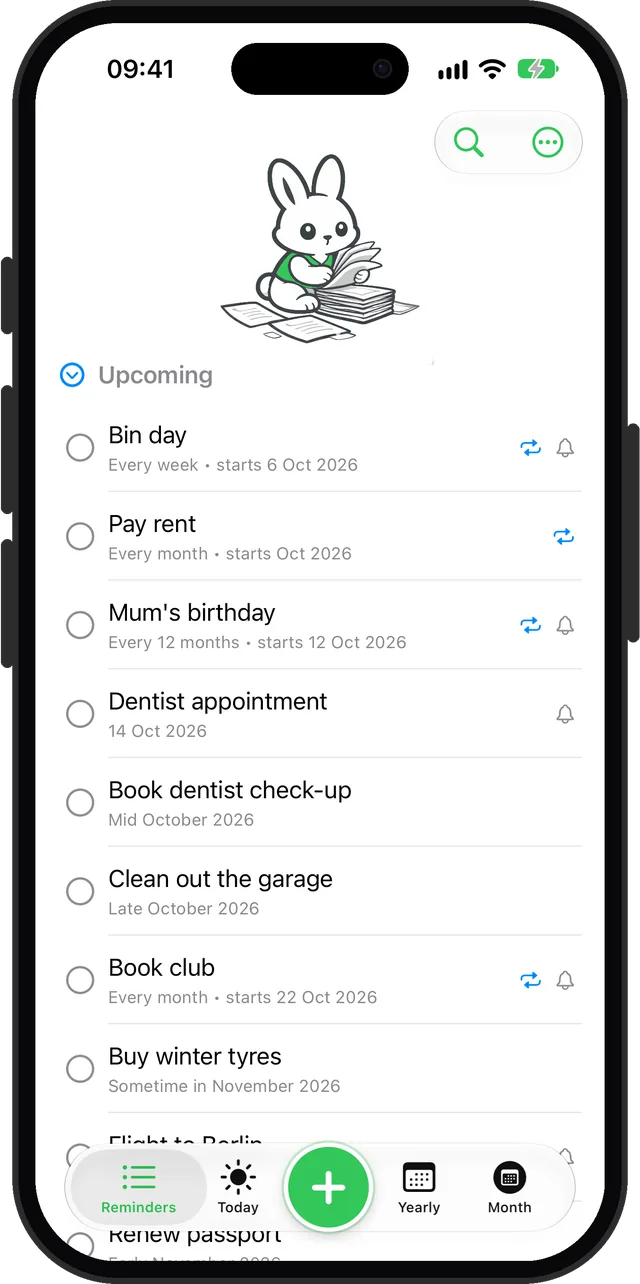
Some monthly things have a hard date: a direct debit on the 1st, a payment due on the 15th. Others just need doing around a time: paying rent sometime in the first week, reviewing the budget mid-month. Remi handles both, and repeats are part of Premium.
A monthly reminder on a fixed date
- Tap + and type the reminder, for example "Pay the card bill".
- Set When to Exact and pick the first date, and a time if you want a notification.
- Open Repeat and choose Every month.
- Optionally choose to end after a number of times, for a payment plan with a known length. Save.
Exact-date reminders send a notification at their time, if notifications are on for that reminder.
A monthly reminder for part of the month
- Tap + and type it, for example "Pay rent".
- Set When to Early, Mid or Late, and the starting month.
- Open Repeat and choose Every month, or Every 2 months.
When you tick it off, Remi moves it to the next month on its own, so the list always shows the one coming up.
When a reminder is not enough
A missed rent reminder is an awkward conversation. A missed medication dose is a different matter. For anything that has to get your attention at an exact time, even with the phone on Silent, you need something that rings like an alarm, not a regular reminder. See the box below.
Questions
How do I make a reminder repeat every month on iPhone?
In the built-in Reminders app, set a date and pick a monthly repeat. In Remi, set an exact date or Early, Mid or Late of a month, then choose Every month under Repeat. Repeats are part of Remi Premium.
Can a monthly reminder stop after a few months?
Yes. In Remi you can end a repeat after a set number of times, which suits payment plans and short courses.
Updated 2026-10-01. Written by Emils Ozols, who makes Remi.