Remi: the flexible reminder app.

Not everything needs a deadline. Set a specific date, pick "early March," or just say "someday." No pressure. No guilt. No subscription.

Free on iOS. One-time premium unlock.

Interested in Android? Drop your email and we'll let you know.
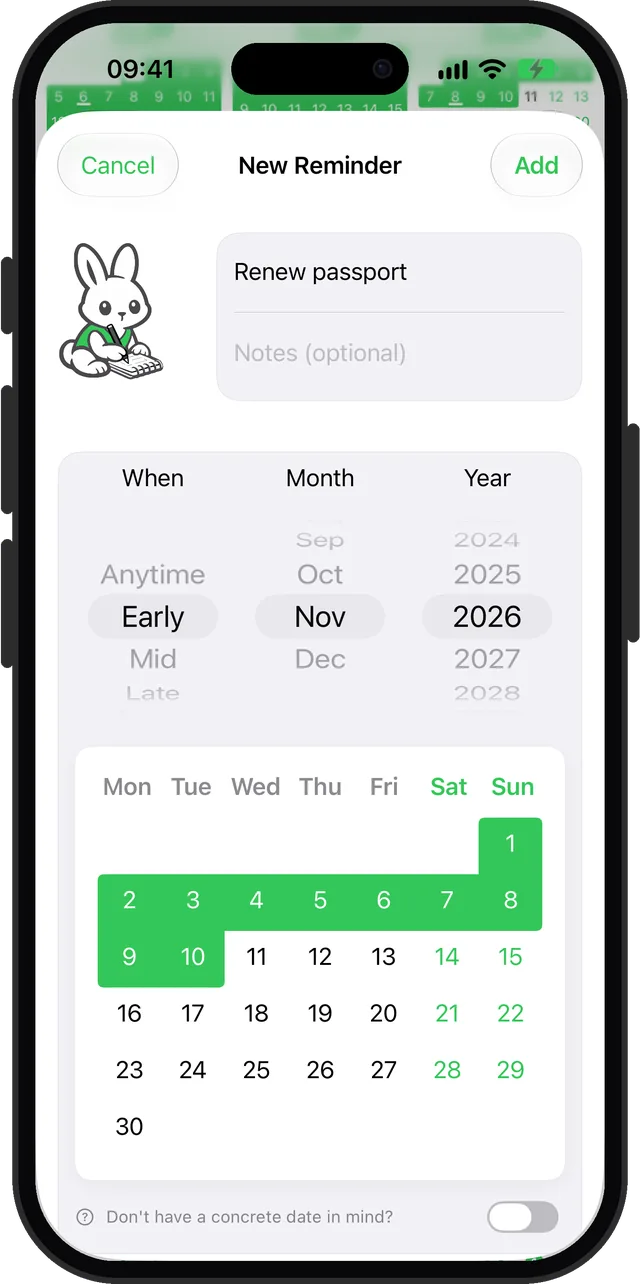
Remi reminder editor with When set to Early November, the 1st to the 10th highlighted on the calendar

Three ways to remember things

Not every task on your checklist needs a hard deadline. Remi lets you choose how specific you want to be.

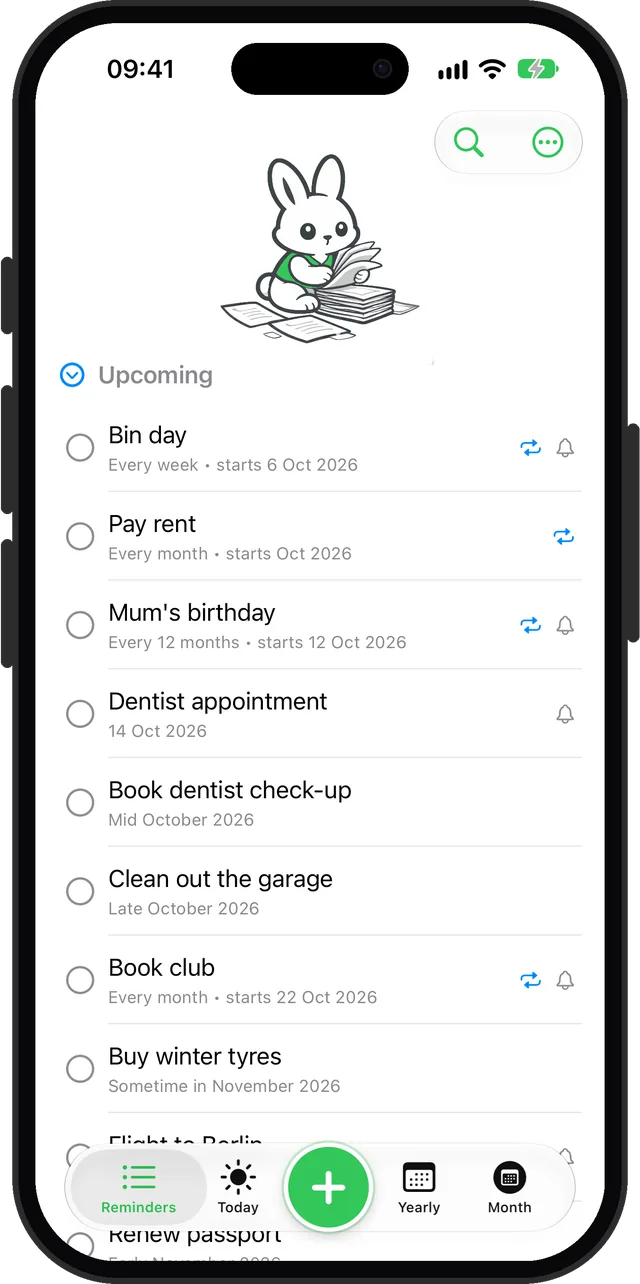
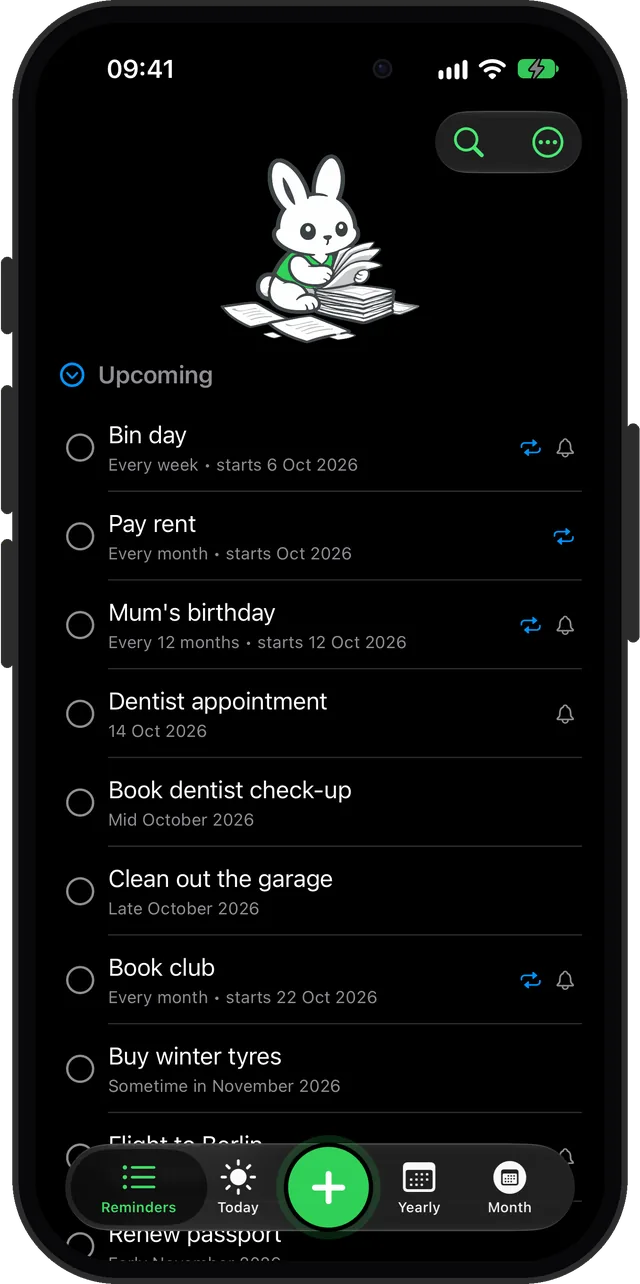
Remi reminder list mixing exact dates, Mid and Late October reminders and monthly repeats

Exact date

Tuesday, March 10 at 9am

For birthdays, appointments, and deadlines that actually matter.

Approximate date

Early March. Mid-April. Late June.

For things that don't need a hard deadline.

Someday

No date at all.

For bucket list dreams and "I'll get to it eventually."

Designed to feel calm

Clean interface, soft colors, and a rabbit who never judges you.

New reminder set to Early November, with the 1st to the 10th highlighted
Early, Mid or Late in a month
Reminder list mixing exact dates, Mid and Late October, and monthly repeats
Exact, approximate or someday
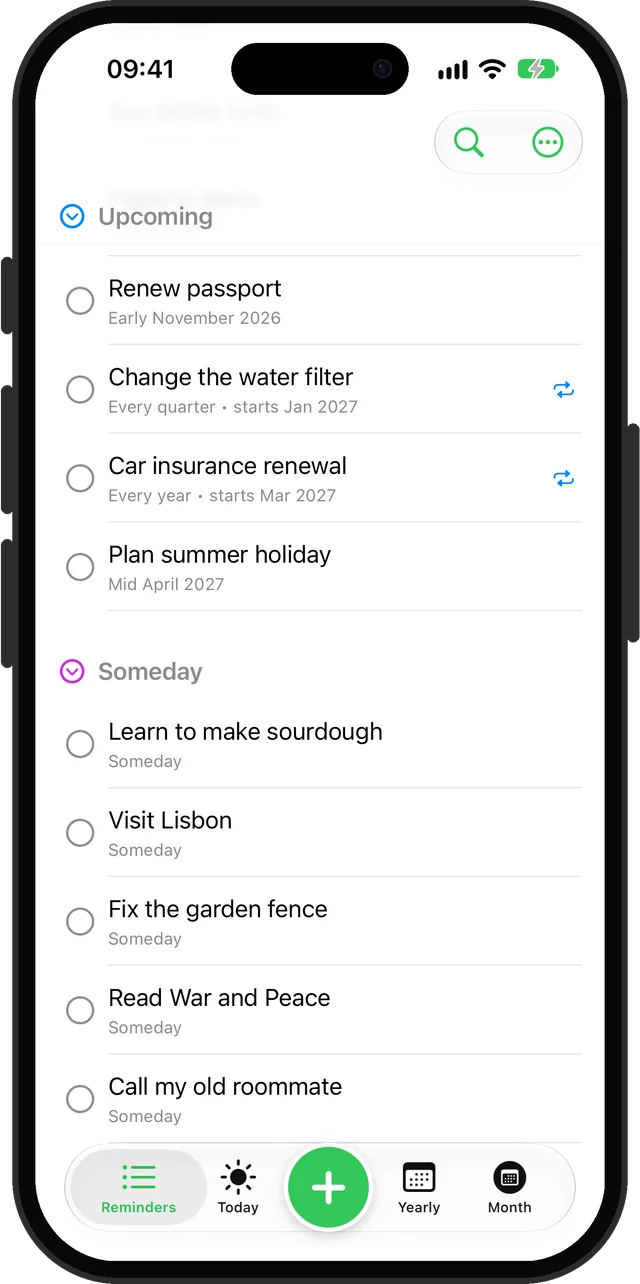
Someday section holding undated reminders below the upcoming ones
A home for someday
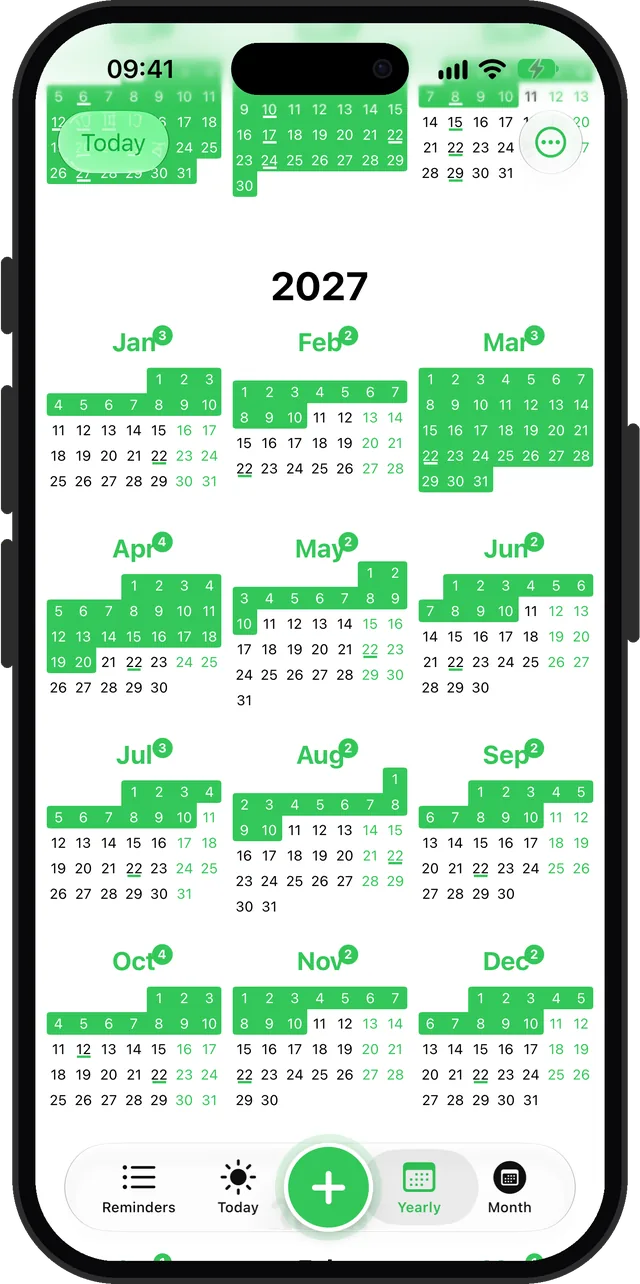
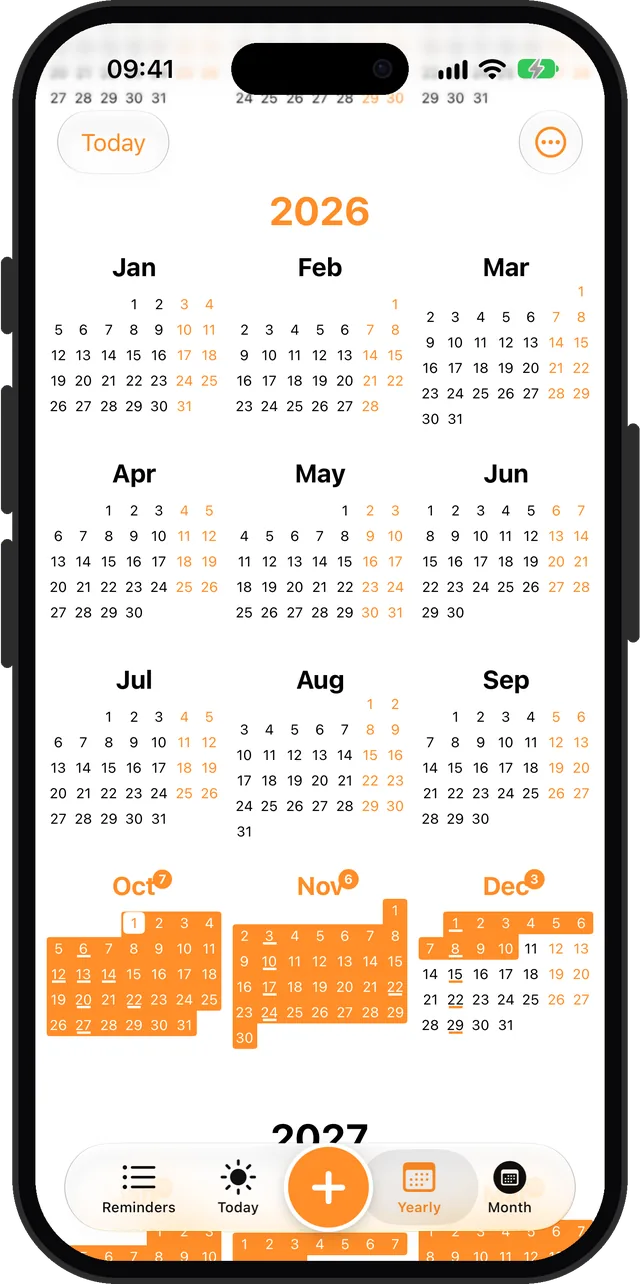
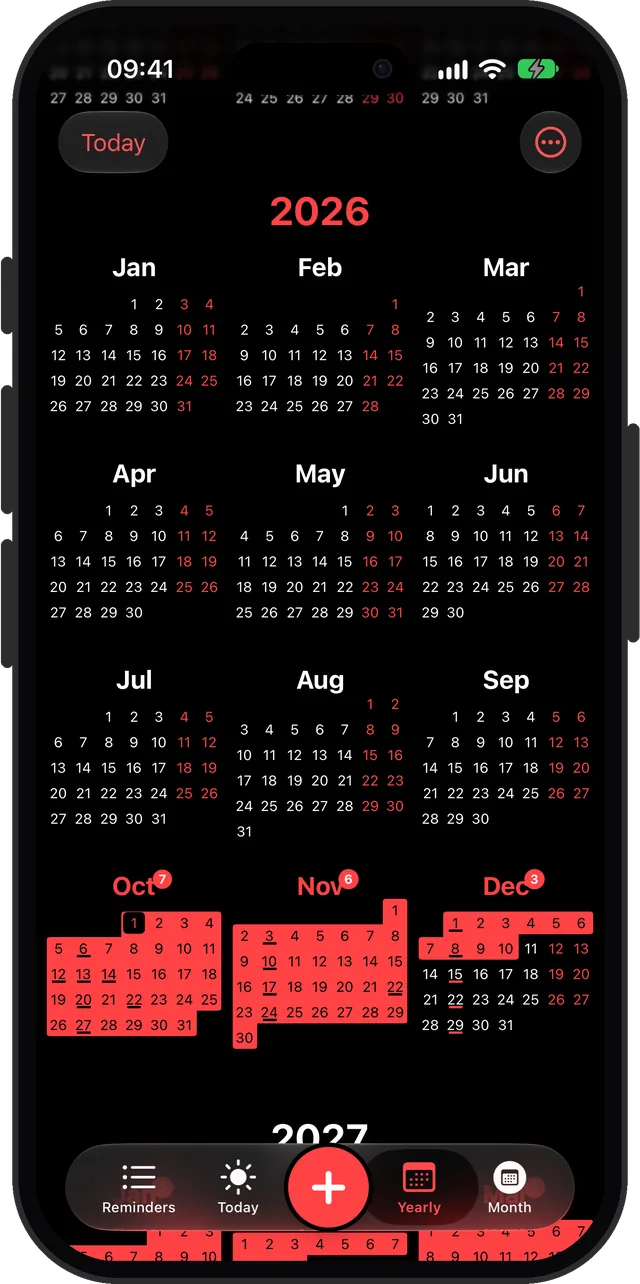
Yearly view showing all twelve months with reminder days highlighted
Your whole year at a glance
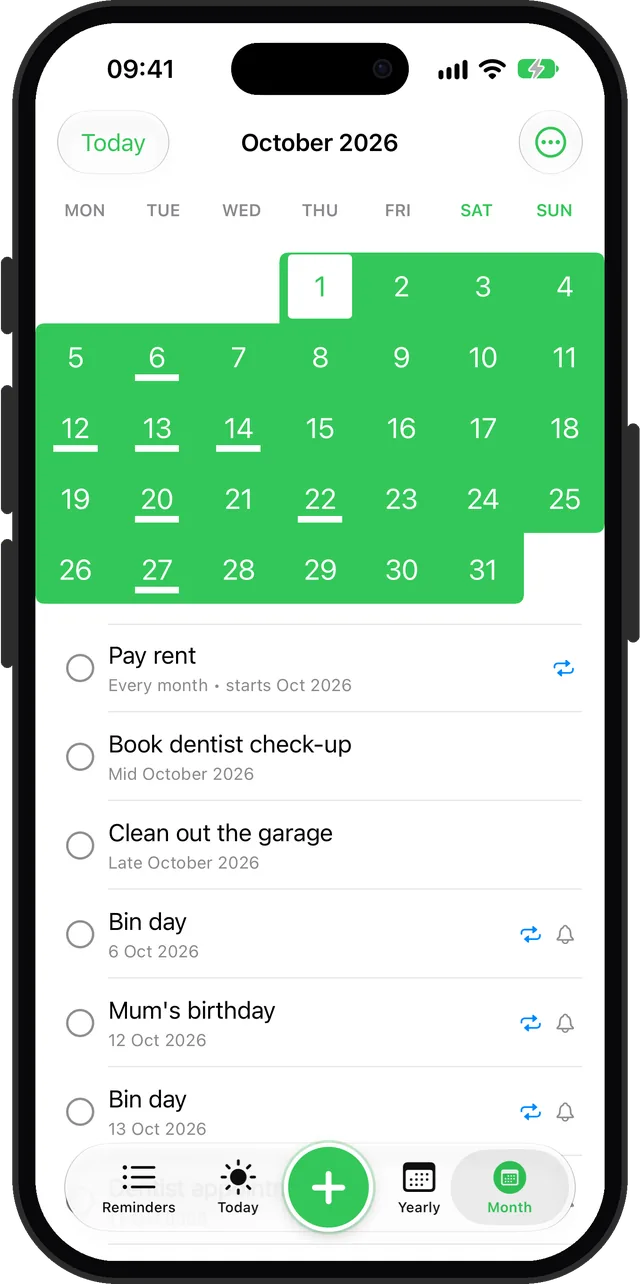
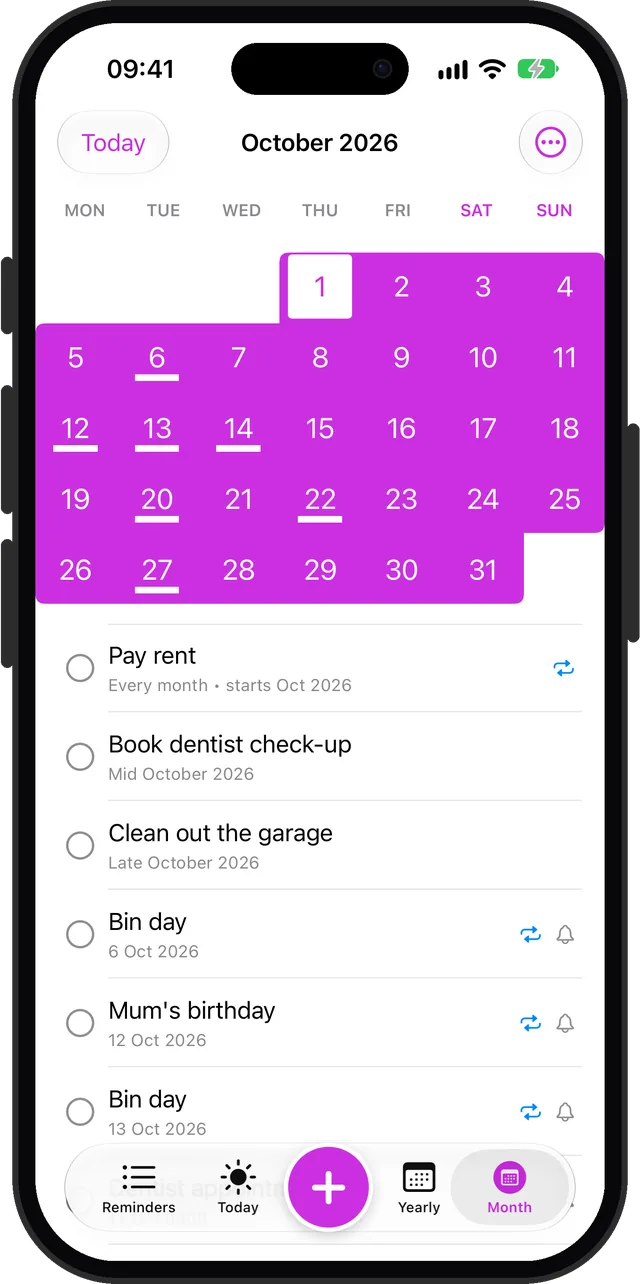
Month view with exact-date reminders underlined and the month's reminders listed
Plan the month
Reminder list in dark mode
Dark mode
Yearly view in the orange accent colour
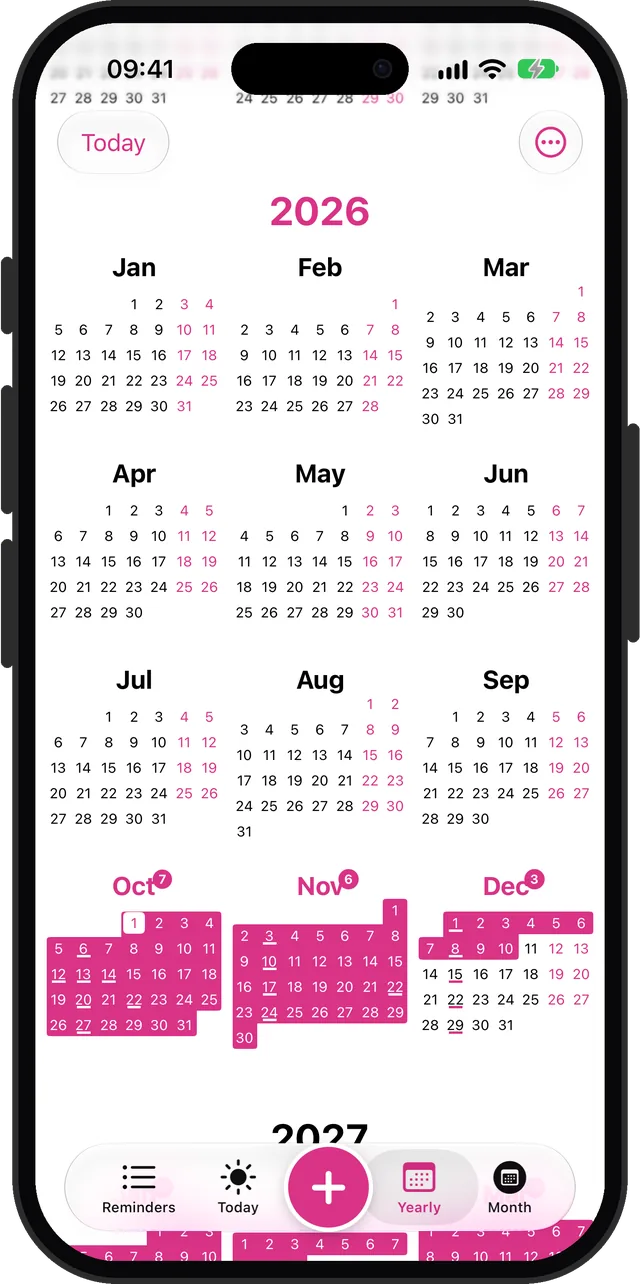
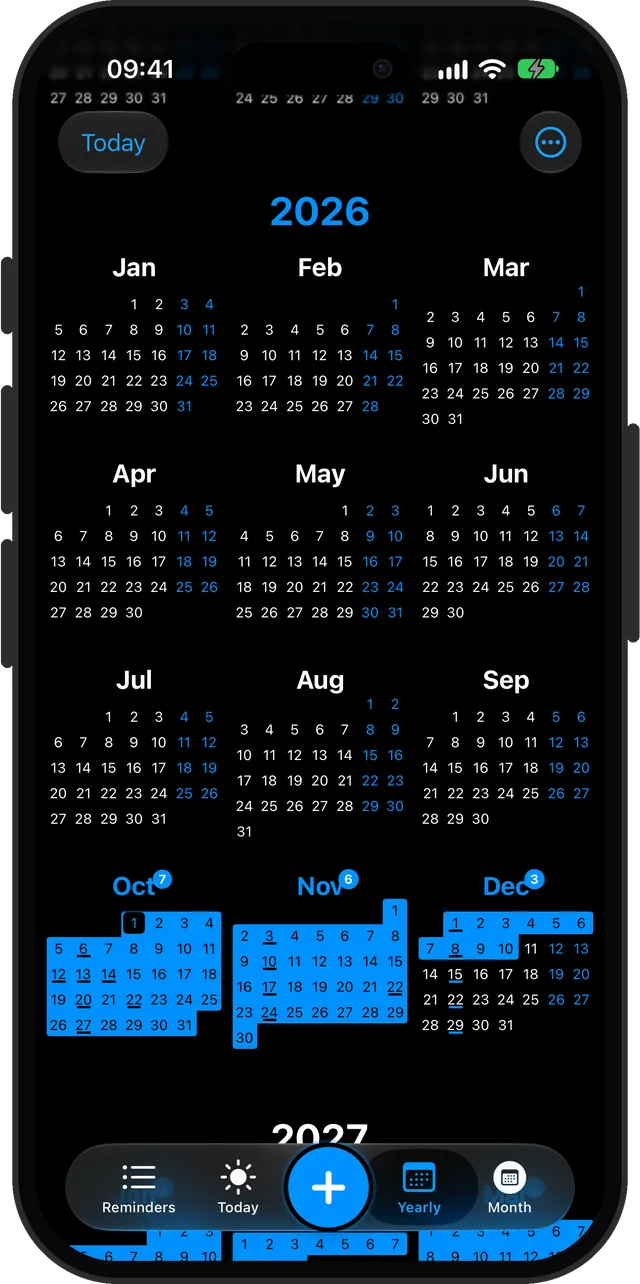
Make it yours: 24 accent colours
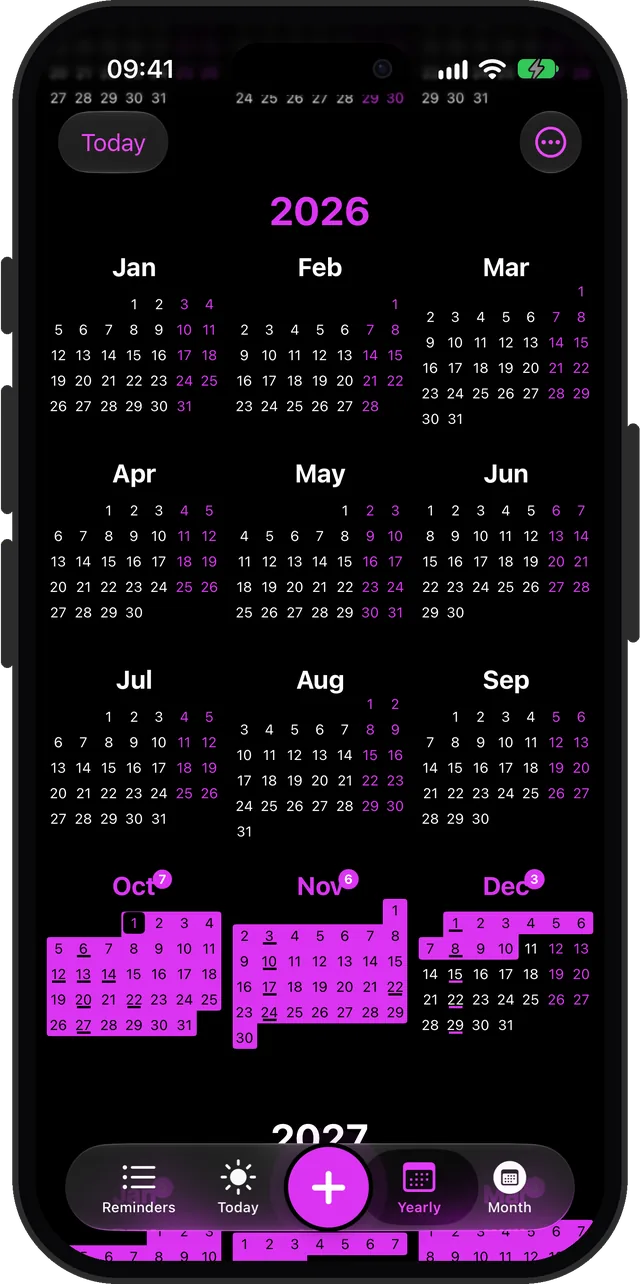
Yearly view in purple, dark mode
Purple, in dark mode
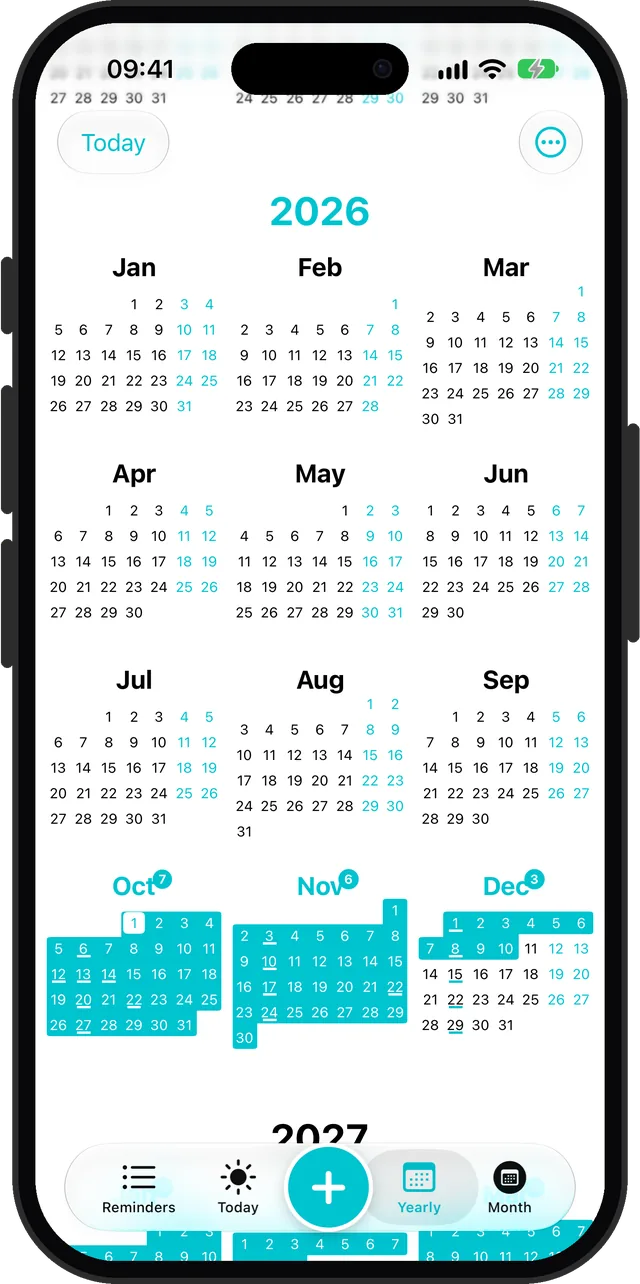
Yearly view in the teal accent colour
Teal
Yearly view in red, dark mode
Red, in dark mode
Yearly view in the magenta accent colour
Magenta
Yearly view in blue, dark mode
Blue, in dark mode
Month view in the purple accent colour
Every view follows your colour

What you get

Everything you need to manage your to-do list. Nothing you don't.

Flexible scheduling

Exact dates, approximate timeframes, or someday. Your reminders, your pace.

Yearly overview

See your whole year at a glance. Plan ahead without spreadsheets.

Widgets

Today's reminders, calendars, and counters on your home screen.

Voice inputPremium

Long-press to speak a reminder. Remi figures out the rest.

Recurring remindersPremium

Rent, filters, renewals, birthdays: weekly, monthly, every quarter, every year, or every N. Set it once.

Privacy first

No account required. On-device storage. Anonymous analytics with opt-out.

iCloud backup

Back up and restore your reminders whenever you want.

Calendar sync

Remi syncs to your system calendar. One-way, no conflicts.

Remi the rabbit mascot, a small white rabbit in a green vest who lives inside the reminder app

This is Remi.

A small rabbit in a green vest who lives inside your app. He changes what he's doing based on what you're doing, but his expression never changes. Deadpan. Supportive. Unbothered.

He holds a clipboard when you're checking reminders, naps in a hammock when things are quiet, and gets buried in papers when things pile up. He doesn't judge. He literally can't.

One price. No strings.

Remi is free to download and use. Want the extras? Unlock premium with a single one-time purchase.

Free$0 Premium$6.99 one-time
All 3 reminder types ✓ ✓
Today, Monthly, Yearly views ✓ ✓
Search, iCloud backup ✓ ✓
Widgets 2 All 8
Recurring reminders — ✓
Voice input — ✓
Plan more than 12 months ahead — ✓
Accent colors 4 24
App icons 4 All variants

Reminders for real life

How to handle the fuzzy stuff on an iPhone: no date, sometime next month, every quarter, every year.

How to Set a Reminder Without a Date on iPhone

Fix the garden fence. Learn to make sourdough. Call that friend you keep meaning to call. None of these happen on a particular Tuesday, and pretending they do is how they end up ignored.

How to Set a Reminder for Sometime Next Month

Renew the passport, early November. Book the dentist, mid-month. Clean out the garage, before the month is out. You know roughly when. You do not know the day, and you should not have to.

How to Set a Monthly Reminder on iPhone

Rent at the start of the month. The card bill around the 15th. Checking the subscriptions before they renew. Monthly reminders are the most useful kind, and the most annoying to keep rebuilding.

How to Set a Yearly Reminder on iPhone

Car insurance renews every March. The boiler wants a service every autumn. Mum's birthday is on the 12th, every year, whether or not you remember on the 11th.

How to Put Reminders on Your iPhone Home Screen

The reminder you see forty times a day gets done. The one inside an app you open twice a week does not. A widget is the cheapest fix there is.

Reminders That Work With an ADHD Brain

If your reminders list is a wall of red you stopped opening months ago, the problem may not be you. It may be that the app made you promise dates you never meant.

All guides →

Questions

What is Remi?

Remi is a reminder app for iPhone built around flexible dates: an exact date, a part of a month (early, mid or late), or no date at all. It is free, with a one-time Premium unlock.

Is Remi free?

Yes. Remi is free to download and use, including exact, approximate and Someday reminders, the Today, Month and Yearly views, search, iCloud backup and two widgets. Premium is a single one-time purchase that adds repeating reminders, voice input, all eight widgets, planning beyond 12 months and more colours.

Is Premium a subscription?

No. Premium is a one-time purchase. There is nothing to cancel.

Do I need an account?

No. There is no sign-up. Your reminders are stored on your iPhone, with optional iCloud backup.

Does Remi work with the Calendar app?

Remi can copy your reminders into the iPhone's calendar so they show up there. The sync is one-way, from Remi to the calendar.

Does Remi have Lock Screen widgets?

No. Remi has eight Home Screen widgets.

Which iPhones does Remi run on?

Any iPhone with iOS 17.6 or later.

Get Started

Try Remi free

Your reminders, your pace. Available on iOS.

Download on the App Store

Interested in Android? Drop your email and we'll let you know.