How to Set a Reminder Every 3 Months on iPhone
Change the water filter. Pay the quarterly tax. Rotate the mattress. Every three months is long enough to forget completely and short enough that it matters.
Why quarterly reminders get lost
Weekly and monthly things turn into habits. Three months is too long for that. By the time it comes round, you have no memory of when you last did it, which is exactly why filters go unchanged for a year.
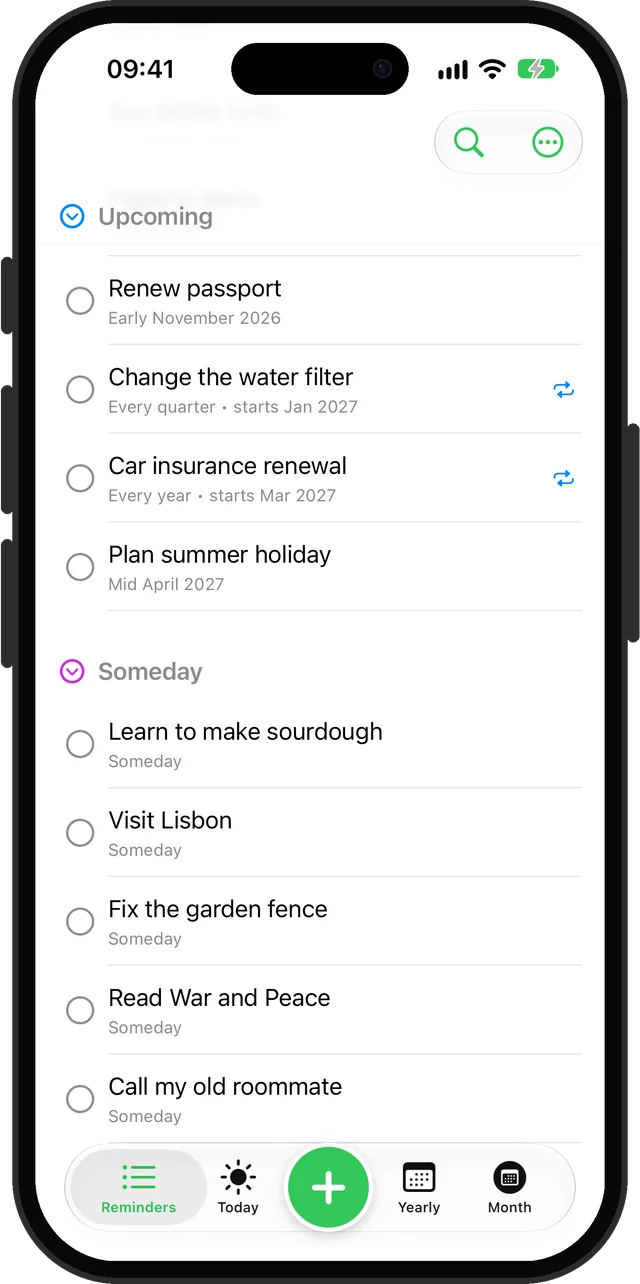
Every quarter, around a time of the month
- Tap + and type it, for example "Change the water filter".
- Set When to Early (or Mid, Late, Anytime) and the first month.
- Open Repeat, choose Custom, and set every 1 quarter. For twice a year, every 2 quarters.
Every 3 months on an exact date
- Set When to Exact and pick the first date and time.
- Open Repeat, choose Custom, and set every 3 months.
Use the exact version when a date matters, like a tax deadline, and the quarter version when it just needs doing that month. Repeats are part of Remi Premium.
Questions
How do I set a reminder every 3 months on iPhone?
In Remi, create the reminder, open Repeat, choose Custom and set every 3 months (exact date) or every 1 quarter (part of a month). The built-in Reminders app also has repeat options for reminders with a date.
Can I set a reminder every 6 months?
Yes. In Remi, use Custom and set every 6 months, or every 2 quarters.
Updated 2026-10-01. Written by Emils Ozols, who makes Remi.