Sync your reminders to the iPhone Calendar app
Remi can copy every active reminder into a calendar on your iPhone as an all-day event, so your reminders sit next to your appointments. The sync is one-way: Remi writes to the calendar, and the calendar never changes Remi.
 Remi is an iPhone appPoint your iPhone camera at the code to install it.
or text me the link
Remi is an iPhone appPoint your iPhone camera at the code to install it.
or text me the link
What calendar sync does
Turn on Sync to Calendar in Remi's settings, pick a destination calendar, and Remi creates one all-day event per active reminder in it. Open the Calendar app and your reminders are there. Remi is the source of truth, and the calendar is a read-only view of it.
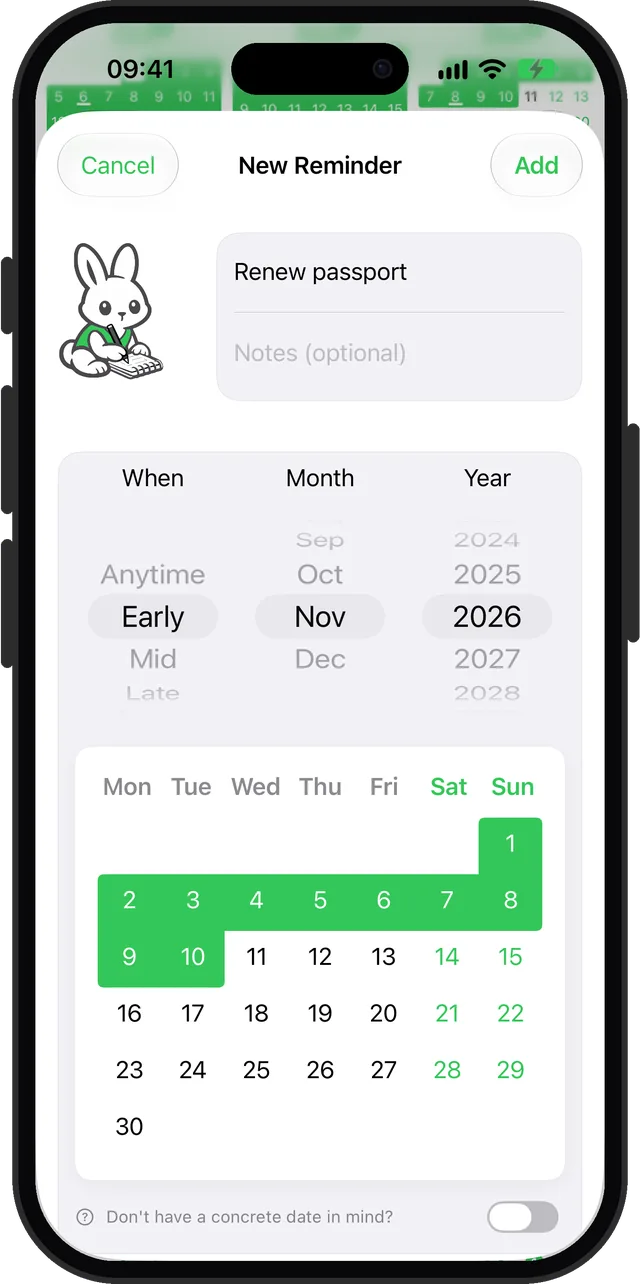
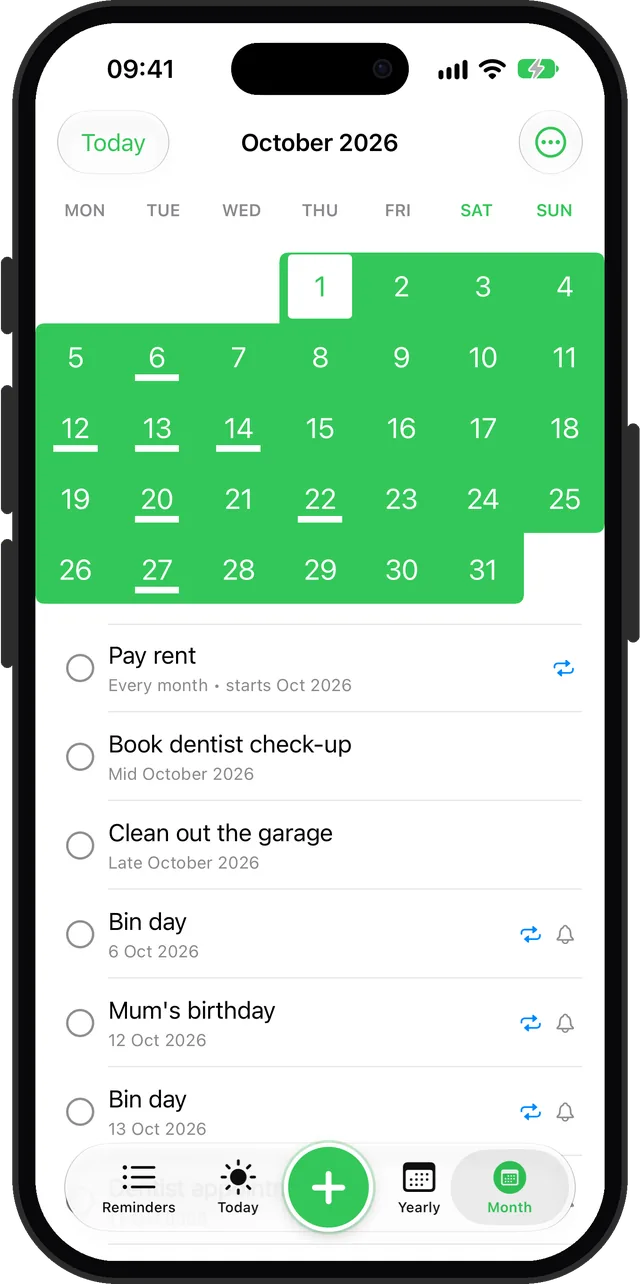
Apple's own apps already connect in one direction. On a Mac, Calendar can show reminders from the Reminders app through its Scheduled Reminders checkbox, which covers reminders that have a date. Remi's reminders often have none: "sometime early in November" or "mid March" is a flexible reminder. Calendar sync gives those a visible place anyway, as an event that spans the days of the timeframe. To see how Remi sets those timeframes, read Flexible scheduling.
How to turn it on
- In Remi, open the "…" menu and choose Settings, then tap Calendar sync.
- Switch on Sync to Calendar. iOS asks for calendar access. Allow it.
- Open Destination calendar and choose the calendar you want. Remi may already have picked one for you. The chosen calendar appears beneath the picker with its colour and account name.
- Remi syncs as soon as a calendar is chosen. A line under the switch reads "Last synced" with how long ago.
- Open the Calendar app and find your reminders as all-day events. Each event title is the reminder title. The event note starts with a rabbit and "Created by Remi", followed by your reminder notes if you wrote any.
After that it runs by itself. Remi syncs every time it saves a reminder: when you add, edit, complete or delete one. If you refuse access, Remi switches the toggle back off and shows a "Calendar Access Disabled" alert with an Open Settings button. Turning the switch off removes every event Remi created.
Options and what each reminder becomes
There are only two settings, the on/off switch and the destination calendar. The rest follows from the reminder's own type:
| Reminder | Calendar event |
|---|---|
| Exact date | One all-day event on that day. |
| Date range | An all-day event from the start day to the end day. |
| Early, Mid or Late of a month | An all-day event across that part. With the default 10/20 boundaries: days 1 to 10, 11 to 20, and 21 to the end of the month. |
| Anytime in a month | An all-day event across the whole month. |
| Recurring | One event for the next open occurrence only. A range keeps its length. |
| Someday, or completed | No event. |
- Alarms. If a reminder has notifications on, its event also gets an alert on its first day.
- Early, Mid, Late boundaries. The Early, mid, late screen offers three presets: 10/20, Balanced and 7/21. When you change the preset, Remi removes its events and recreates them with the new day ranges.
- Switching calendars. Choose a different destination and Remi moves its events there.
Calendar sync sits in the free app. The Calendar sync screen carries no Premium lock.
When to use it
One view of the month
If you plan your days in the Calendar app, a reminder such as "book the dentist, mid October" now sits across October 11 to 20 beside your meetings. You do not have to remember to open a second app.
Seeing a timeframe, not a deadline
An all-day event across ten days shows a window instead of a fake due date. That fits reminders you can do any day within it.
A calendar you already trust
The destination is an ordinary calendar on your iPhone, and the picker shows which account it belongs to. Choose the one you already check every morning, and Remi's reminders join it without a new habit.
Alerts through the Calendar app
Events get an alert on their first day when the reminder has notifications on, so the Calendar app can nudge you as well. For how Remi's own notifications differ from alarms, see reminder versus alarm.
Limits
- One-way only. Edit or move an event in Calendar and the next sync overwrites it. Delete one and Remi recreates it. Change the reminder in Remi instead.
- Someday reminders are skipped. A reminder with no date has nothing to place in a calendar.
- Recurring reminders show one event. Only the next open occurrence appears, never a repeating series.
- All-day only. Events have no start time. Remi does not create timed events.
- Syncs when Remi saves. Edits made inside the app trigger it. Remi has no schedule that syncs in the background on its own.
- Completing removes the event. A finished reminder drops out of the calendar at the next sync.
- One destination. You choose a single calendar at a time.
Reminders that Calendar already shows from the Reminders app are a separate thing, and Remi does not touch them. If events do not appear, check that the destination calendar is switched on in the Calendar app, and read the troubleshooting guide.
Sources
Questions
Does Remi sync reminders to the iPhone Calendar app?
Yes. Turn on Sync to Calendar in Settings, choose a destination calendar, and Remi creates an all-day event for each active reminder. The sync is one-way, from Remi to the calendar.
Can I show reminders in the Calendar app on my iPhone?
Yes. Remi writes them into a calendar you pick, so they appear like any other event. Apple's Reminders app has its own Scheduled Reminders option in Calendar, which is separate from Remi.
Does calendar sync work both ways?
No. Remi is the source of truth. If you edit or move a Remi event in Calendar, the next sync overwrites it, and a deleted event is recreated. Make changes in Remi.
Why does my Someday reminder not show in Calendar?
A Someday reminder has no date, so there is nothing to place on a calendar. Remi skips it. Give it a month, an Early, Mid or Late part, or an exact date and it appears at the next sync.
How do I stop Remi reminders from showing in my calendar?
Open Settings, tap Calendar sync and switch off Sync to Calendar. Remi then removes every event it created. You can also pick a different destination calendar and hide that one in the Calendar app.
What happens to my recurring reminders in Calendar?
Remi adds one event for the next open occurrence, not a repeating series. When you complete it, the next occurrence takes its place at the following sync.
See your reminders in your calendar
Get Remi on the App StoreMore features
iCloud Backup and Restore in Remi
Back up your reminders and settings to your own iCloud and restore them from inside the app.
Recurring reminders: monthly, quarterly, yearly or every N
Repeat a reminder every month, every 2 months, every year or every N months, quarters or years, with an optional stop after a set count.
Reminder widgets for your iPhone Home Screen
Eight Home Screen widgets show today's list, calendars, upcoming reminders and overdue counts, two of them free.
Updated 2026-11-01. Written by Emils Ozols, who makes Remi.